Can’t Find JioFiber on PhonePe? Here’s the “Secret” Trick to Pay Your Bill
Are you trying to pay your Jio Fiber bill using PhonePe, Google Pay, or Paytm, but hitting a dead end? You are not alone.
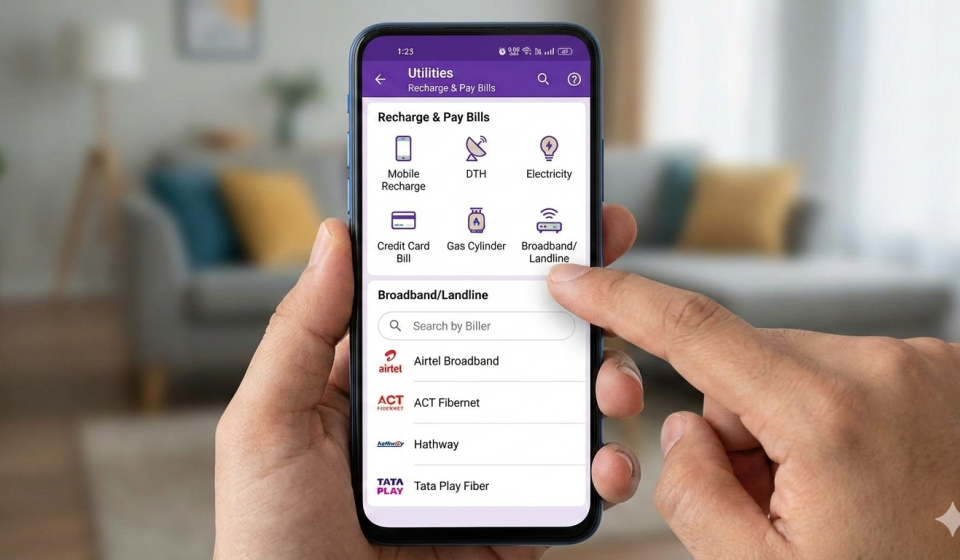
Most users instinctively open their UPI app, head straight to the Broadband / Landline section, and scroll endlessly looking for “Jio Fiber.” The frustration sets in when you realize it’s not there.
But don’t panic—you don’t need to download a separate app or log in to a website. There is a simple “trick” to pay your bill directly from your favorite UPI app. It just requires looking in a different section.
Here is the step-by-step guide to making your Jio Fiber payment in seconds.
The Common Mistake: The “Broadband” Trap
When you open the Utilities section of your UPI app, it makes perfect sense to click on Broadband/Fiber. However, for many Jio Fiber Postpaid users, the billing integration isn’t listed there.
If you keep searching under Broadband, you won’t find the option to pay. The solution is to treat your Fiber connection like a Postpaid Mobile connection.
The Solution: How to Pay Jio Fiber Bill (Step-by-Step)
Follow this simple workaround to clear your dues instantly using PhonePe, GPay, or Paytm.
Step 1: Find Your JioFiber Number
Before you open your payment app, you need the correct 10 or 12-digit number associated with your fiber account.
- Open the MyJio App.
- Go to the Profile Section (usually found by tapping the menu or your name/icon).
- Look for your JioFiber Number.
- Copy this number or write it down.
Step 2: Open Your UPI App
Launch PhonePe, Google Pay, or Paytm.
Step 3: Go to “Postpaid” (Not Broadband)
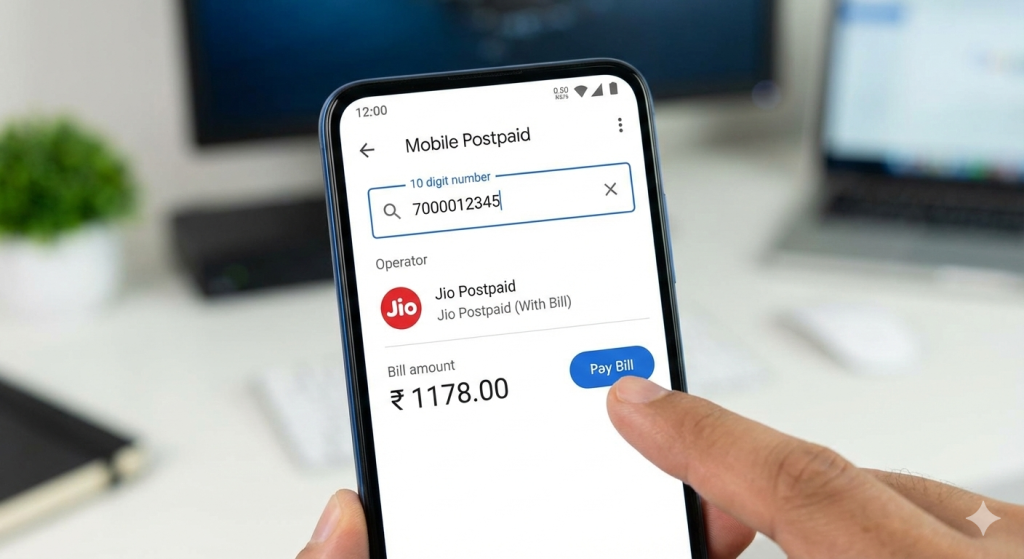
Here is the trick. Instead of clicking on “Broadband,” look for the Mobile Postpaid or Postpaid Bill section under “Recharge & Pay Bills.”
Step 4: Enter Your Details
- In the search bar, type your JioFiber Number (the one you found in Step 1).
- The app might ask you to select an operator. Select Jio Postpaid (With Bill) or simply Jio Postpaid.
Step 5: Fetch and Pay
- Once you select the operator, the app will automatically communicate with Jio’s servers.
- It will fetch your latest bill amount and display it on the screen.
- Verify the name and amount, then proceed to Make Payment.
Why Does This Work?
Jio Fiber Postpaid billing is often integrated into the same system as Jio’s mobile postpaid services. By selecting “Jio Postpaid,” you are essentially telling the UPI app to ping the Jio billing server for that specific number—regardless of whether it’s a SIM card or a Fiber line.
Summary Checklist
- Don’t use the Broadband section.
- Do use the Postpaid Mobile section.
- Use the JioFiber number from your MyJio Profile.
- Select “Jio Postpaid” as the operator.
💡 Pro Tip
Once you make this payment successfully for the first time, your UPI app will usually save the details. Next month, you won’t even need to search—it will appear in your “Recent Payments” list!
Found this guide helpful? Share it with a friend who is still struggling to find the bill option!
Disclaimer: This post may contain affiliate links. If you click and buy, we may receive a small commission at no extra cost to you. Read our full disclosure here.