
[IONIC] Managing App Themes
If you are using latest version of Ionic, you must have felt the ease of maintaining the styles. You don’t have to worry about the responsiveness of the app or the OS compatibility. Kudos to Ionic Team!
In this post, I’ll try to explain the use of variable.scss. This file is available in the theme folder.
Although you can use the exclusive scss files available with each pages or components. But what in case you want to change the colors of the entire app?
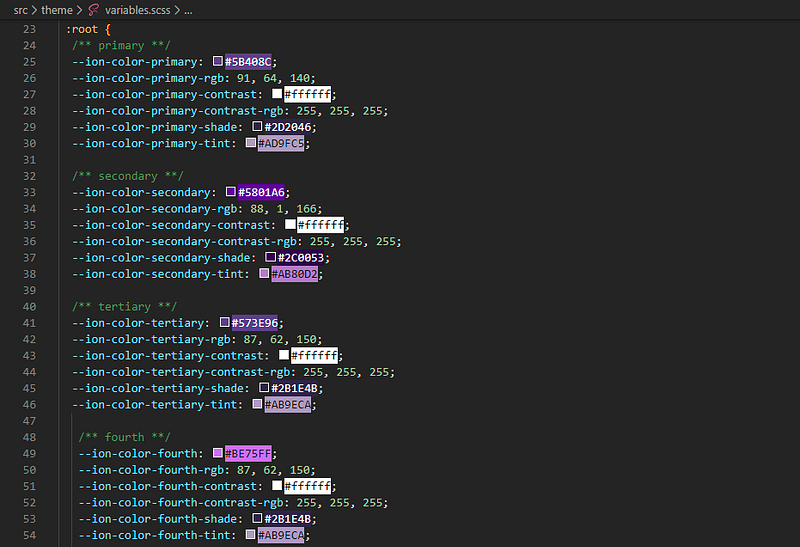
Here comes the role of variable.scss. When you open the file, you’ll get to see some known css color class, which you use extensively, like
<ion-button color="primary"></ion-button>
So, basically all these color class are defined here in this file.
#variable.scss
In most of the UI components we use one of these color classes. So it will be easy if you just change the definition of primary in just one place, and it will be effective through out the App.
Likewise you can set your primary, secondary, etc. colors as per your requirement and use them in changing component’s colors.
You can even add or generate your own color classes. You just need to define the variables and create a class in order to make it usable in any component which supports color attribute.
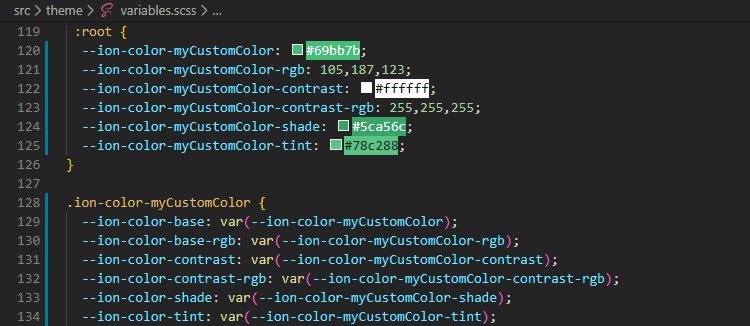
You are now ready to use your own color class.
<ion-button color="myCustomColor">Custom Colored</ion-button>You can use the awesome ionic color code generator to generate these codes in a few clicks. Click here.
#OS Specific Variables
What if you want some button to have green-ish color in Android devices and grey-ish in iOS?
You can also define your OS specific variables here as well. For iOS, put your variables under .ios and for Android, under .md.
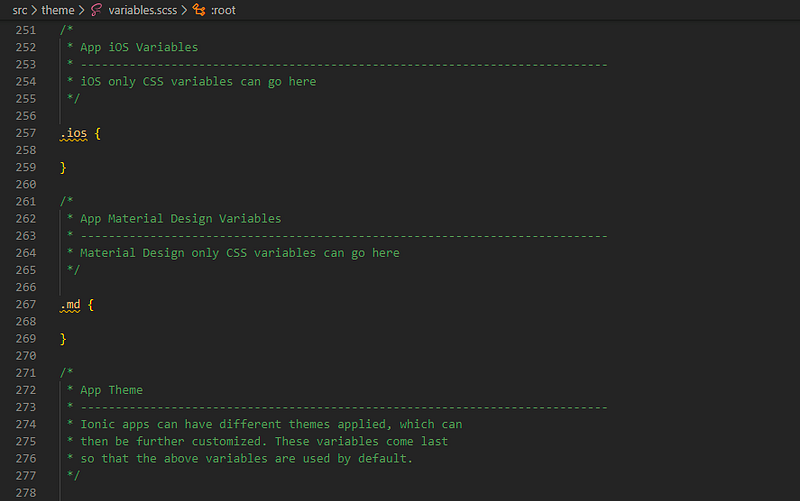
#App Theme
Lets suppose you want to give your user the control to change the theme of your app.
Define the color and variables under a class here.
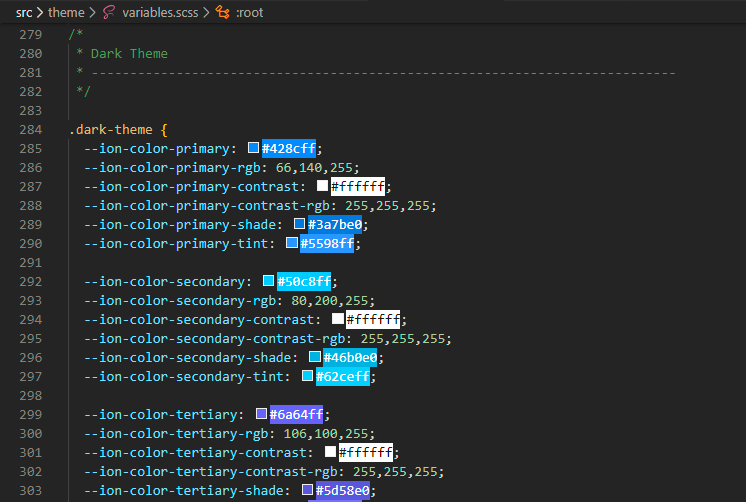
And then add the following code in your app.component.html
#In app.component.html
<ion-app [class.dark-theme]="dark">
=====================================
#In app.component.ts
...
dark = true;
...
That’s it. Now your App component’s colors will change based on what is defined under .dark-theme style class.
Feel free to share what else you have explored for theming in Ionic Framework
Contact me at
Email: [email protected]
WhatsApp: +91 890 888 0324
Disclaimer: This post may contain affiliate links. If you click and buy, we may receive a small commission at no extra cost to you. Read our full disclosure here.
