[IONIC] Set Global Styling

In order set any styles globally which should be used throughout the entire app, you will have to use global.scss. This file is available in src folder.
#global.scss
You can put any style classes here and can access them from any where in the app. To add or put style class here, there multiple ways:
i. Directly write your style class in side global.scss
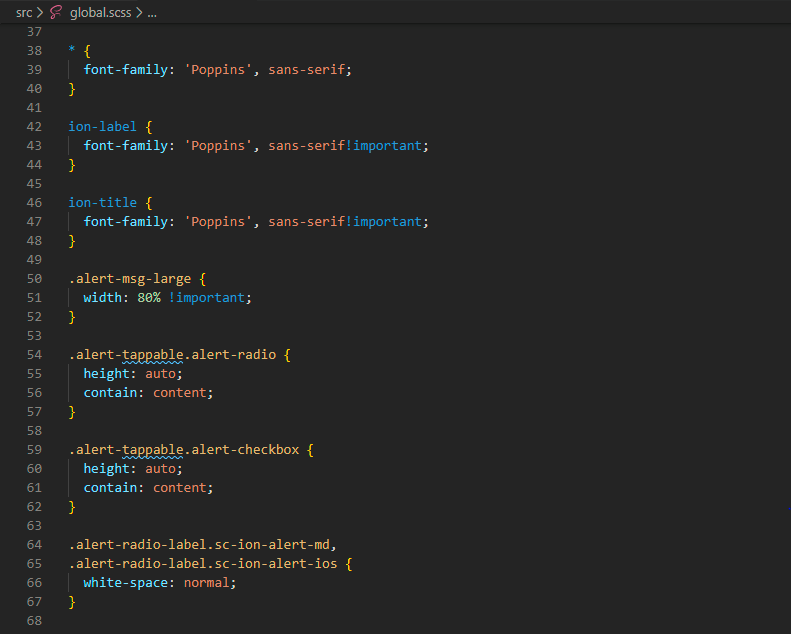
ii. Write all your style class in app.scss or any scss file, and import them in global.scss
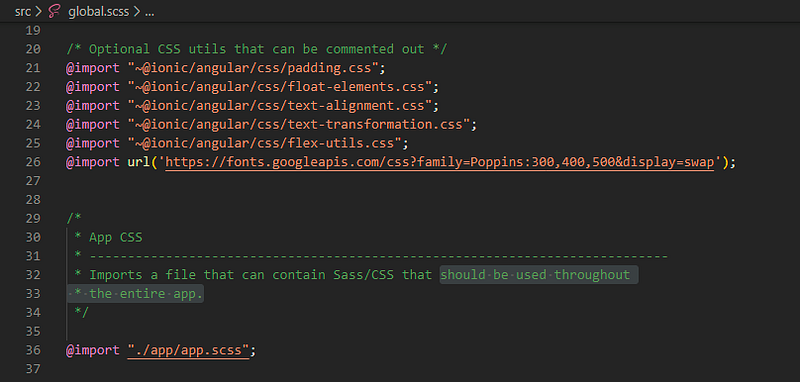
Primarily you can use the global.scss file for managing your app font-family, font-size, etc. Also, if you are try to custom design any Default UI Components like Alert Box, Popup Messages, etc., you can use global.scss to put their style classes.
#Import a font-family and use throughout the App
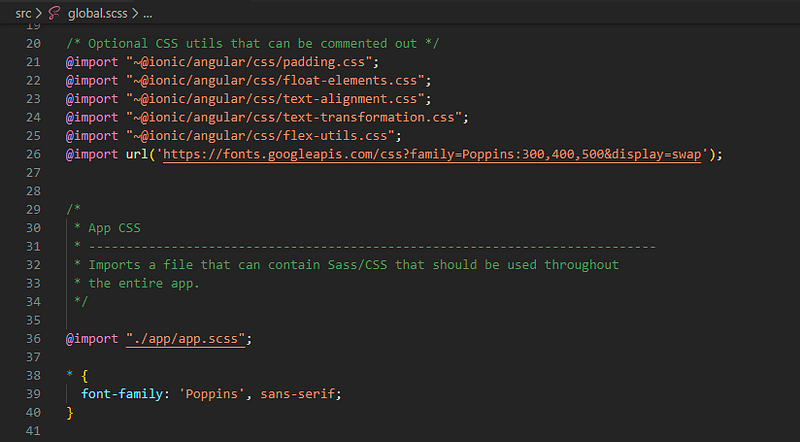
You can use this file as an entry point to import other local or external CSS/Sass files. For e.g., I want to use a font-family which I found in Google Fonts. Just copy the CSS link and import it in the global.scss file.
Hope this will help you out understanding how to and when to use global.scss in Ionic.
Thank You…
Contact me at
Email: [email protected]
WhatsApp: +91 890 888 0324
Disclaimer: This post may contain affiliate links. If you click and buy, we may receive a small commission at no extra cost to you. Read our full disclosure here.